Product/Expense Management
Expense Management

Expenses processed automatically.

Tracked, submitted, and approved — without anyone touching a spreadsheet.

~5s
To read a receipt
0
Manual data entry
100%
Policy-checked
📤
Receipt uploaded
Employee · design software renewal
AI extracts & checks policy
Merchant, amount, category, compliance
Passed
💸
Paid same day
No spreadsheet in between
Inside expense management

From receipt to reconciled.

Every feature you need to manage your transactions — cards, reimbursement, budgets and approvals — in one connected workspace.
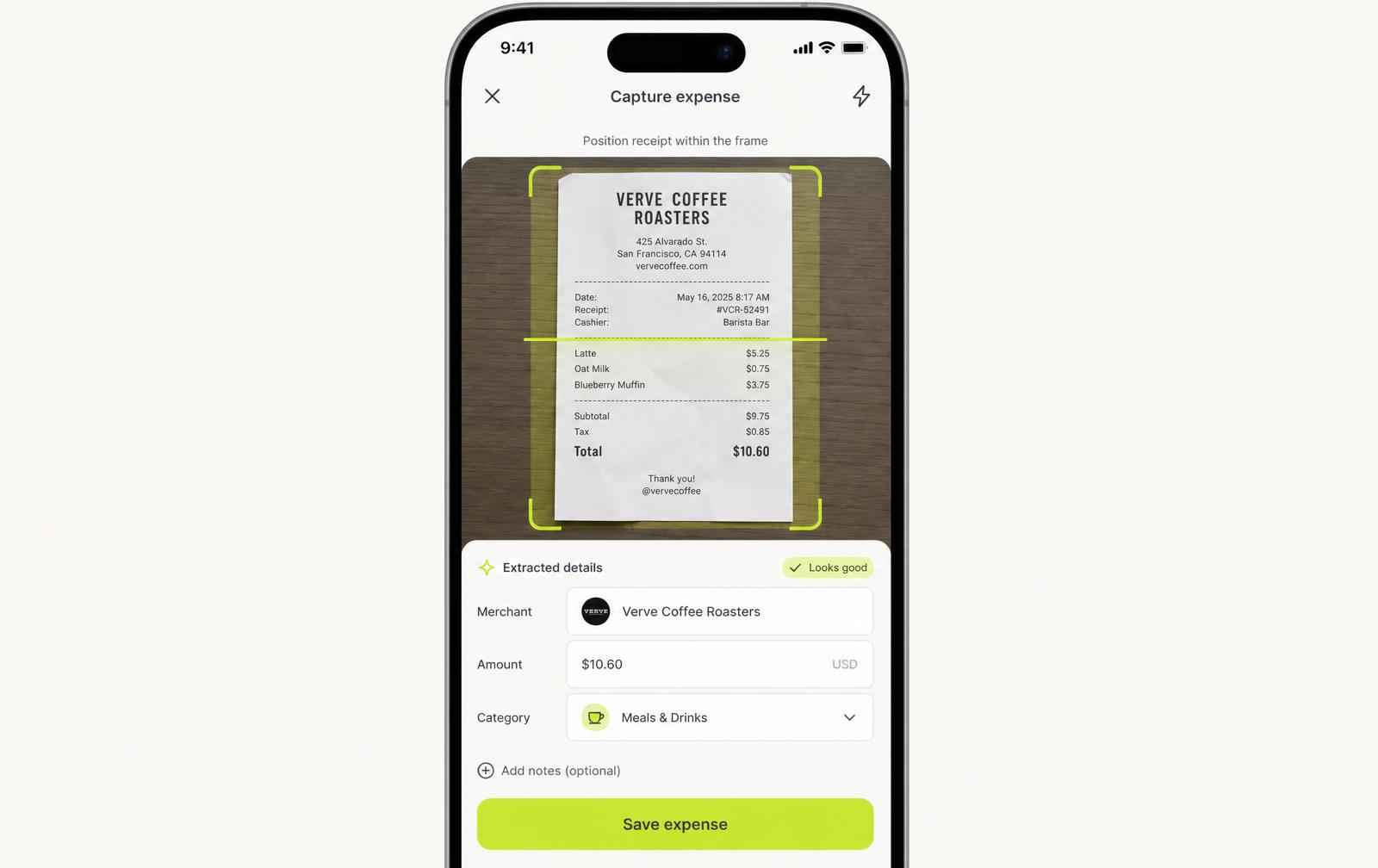
Lign iOS
Lign mobile receipt capture
Snap a receipt, AI does the rest
app.lign.com/expenses
Expense inboxAI-parsed line items
AI-parsed line items
app.lign.com/reimbursements
Reimbursement runBatch payouts to employees
Batch payouts to employees
The employee experience

From purchase to submitted, in one motion.

An employee doesn't fill out a form. They take a photo — everything after that is Lign's job, not theirs.

  • ✓ Snap a photo from the Lign app, or forward an email receipt
  • ✓ No fields to fill in, no category to guess
  • ✓ Submission status visible the moment it's sent
0:00
Employee snaps a photo
Design software renewal receipt, $149.00
0:02
Auto-uploads in the background
No app switching, no manual save
0:05
Appears in the dashboard
Status: submitted — awaiting AI review
Try it yourself

Drag a receipt in. Watch AI do the rest.

Drag the receipt into the box below — or click it — and watch OCR extraction, categorization, and approval routing happen in real time.

↳ Drag into the box, or click to drop it in

📥
Drop receipt here

AI will extract the details automatically

What happens next

Approval workflow, end to end.

Every expense follows the same path — fast, visible, and auditable at each step.

1
Day 1, 9:14 AM
Receipt submitted
Employee uploads photo from the Lign app
2
Day 1, 9:14 AM
AI extraction & policy check
Data read, category matched, policy compliance verified
3
Day 1, 9:18 AM
Routed to manager
Auto-assigned based on department and amount
4
Day 1, 11:02 AM
Approved
Manager reviews AI summary and approves in one tap
5
Day 1, 6:00 PM
Payment issued
Finance batch runs automatically — no manual payout
Rules that enforce themselves

Policy automation, built in.

Set the rules once. Lign checks every expense against them — no one has to remember to look.

Category spending limits

Set caps per category — software, travel, meals — and get flagged automatically when an expense exceeds them, no manual review needed.

Auto-flagging

Duplicate, unusual, or out-of-policy expenses are caught before approval.

Receipt requirements

Automatically enforce receipt thresholds by expense size.

Department-specific rules

Different teams, different policies — Lign applies the right one automatically based on who's submitting.

Life without expense reports

Your team stops filing. Finance stops chasing.

Receipts are matched the moment a card is swiped, so month-end close is a review, not a rescue mission.

Employee submitting an expense from a cafeambience — 1200x900
The difference

Manual expense admin vs. Lign.

Without Lign
Employees manually type merchant, amount, and category
Receipts get lost in email or forgotten entirely
Finance chases approvers over Slack and email
Policy checked manually, if at all
Reimbursement takes weeks
With Lign
A photo is the entire submission
Every receipt stored and matched automatically
Approvals routed and reminded automatically
Every expense checked against policy, instantly
Reimbursement paid the same day it's approved
What finance teams get back

Time your finance team gets back.

0
Saved per month, per finance team
0
Faster approval time
0
Manual data-entry fields
0
OCR extraction accuracy
Lign AI · Expense automation

Expenses processed automatically, end to end.

Lign AI runs the full expense lifecycle — from the moment a receipt lands to the moment payment clears.

Employee uploads a receipt — that's the only manual step
AI extracts, categorizes, and checks policy in seconds
Manager approves, finance pays — no spreadsheet in between
📤
1,204 receipts processed
This month, across all departments
AI auto-approved 892
Fully within policy, no human review needed
74%
⚠️
18 flagged for review
Duplicate or out-of-policy · hover to see why
Review
11 were near-identical to a receipt already on file, 5 exceeded their category limit, and 2 came from a merchant outside the approved vendor list — each routed to a manager with the reason attached.